

Upliance Smart Air Fryer - 5L | Powered by UpAI

Regular price
₹10,999.00
Regular price
₹25,000.00
Sale price
₹10,999.00
Pincode Checker
Upliance Smart Air Fryer - 5L | Powered by UpAI
  • 2 Year Warranty

  • No-Cost EMI

  • Free Delivery

  • 10-Day Easy Replacement

Product Details

Meet the Upliance Air Fryer!

Powered by UpAI
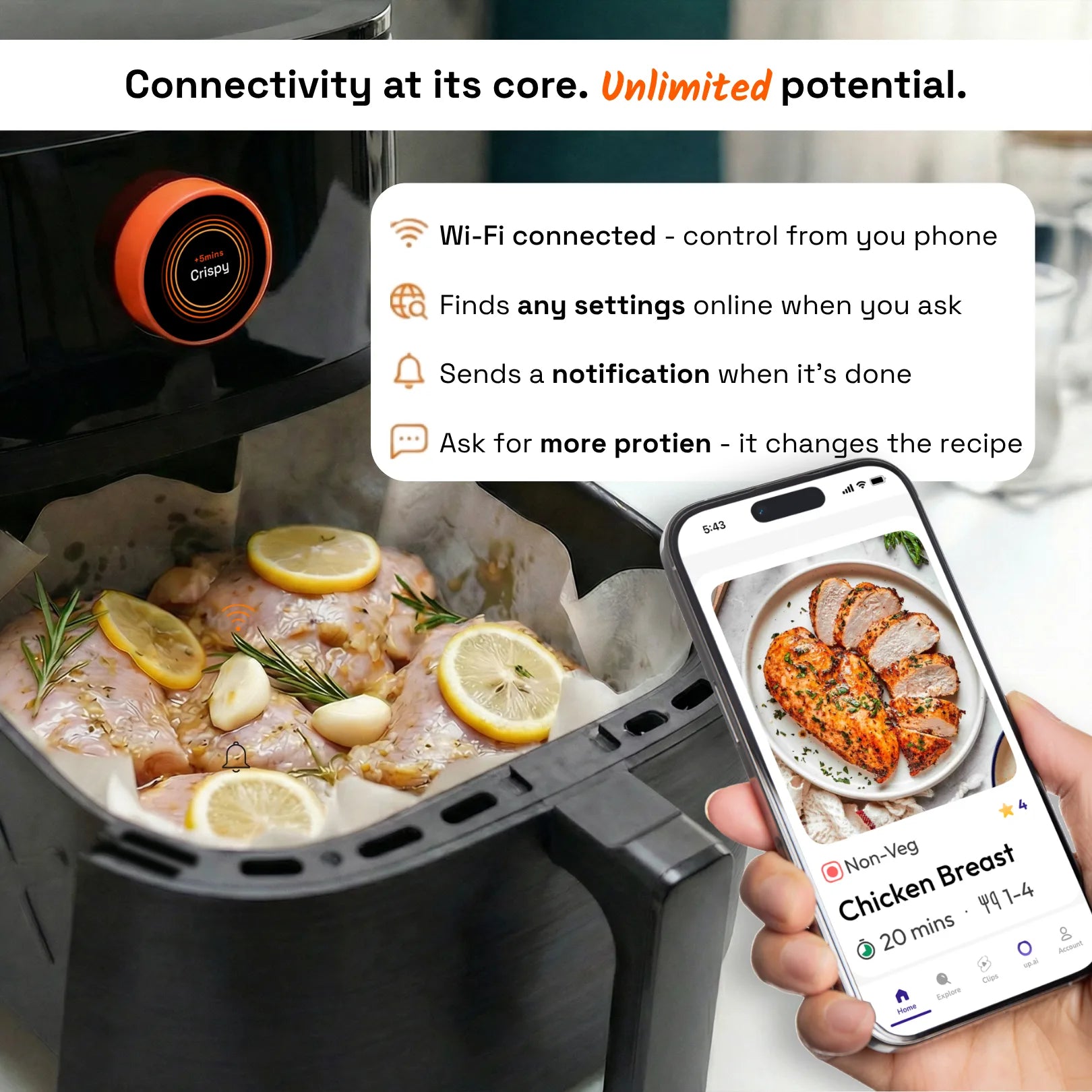
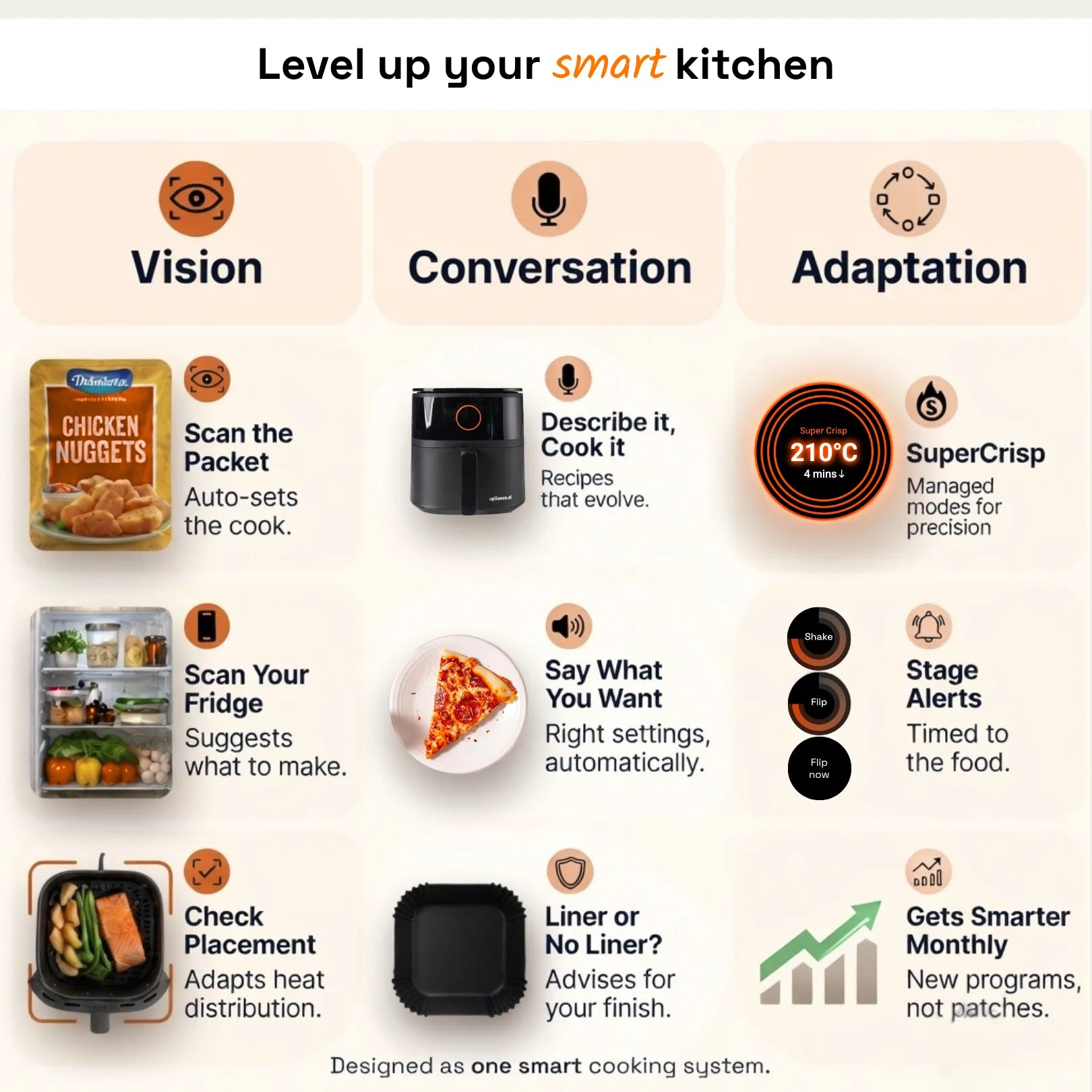
Your phone and air fryer work together through the upliance app.
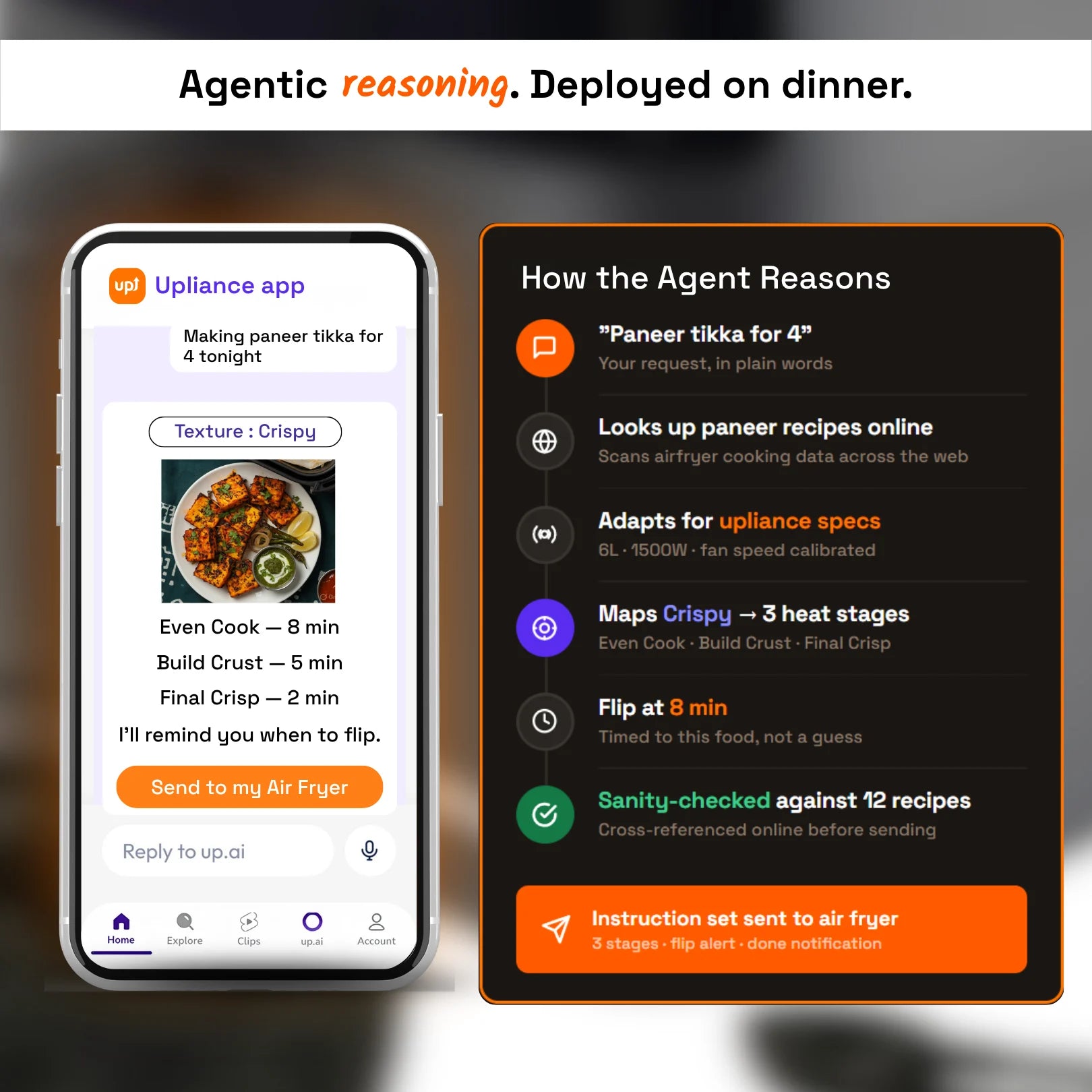
  1. Photo to Air Fry — Snap any ingredient — from your fridge, a delivery bag, or a dish you want to recreate. UpAI gives you recipes and sends the settings straight to the air fryer.
  2. Control from Phone — Start, stop, or adjust from anywhere. Set a delayed start before you leave home. Get shake and done alerts on your phone.
  3. Reel to Recipe — Paste a YouTube or Instagram link. UpAI pulls the recipe and sends the settings to the air fryer.
  4. Fix My Food — Food not right mid-cook? Snap a photo and tell UpAI what's wrong. It tells you how to fix the cook.
Texture Control — Not Presets
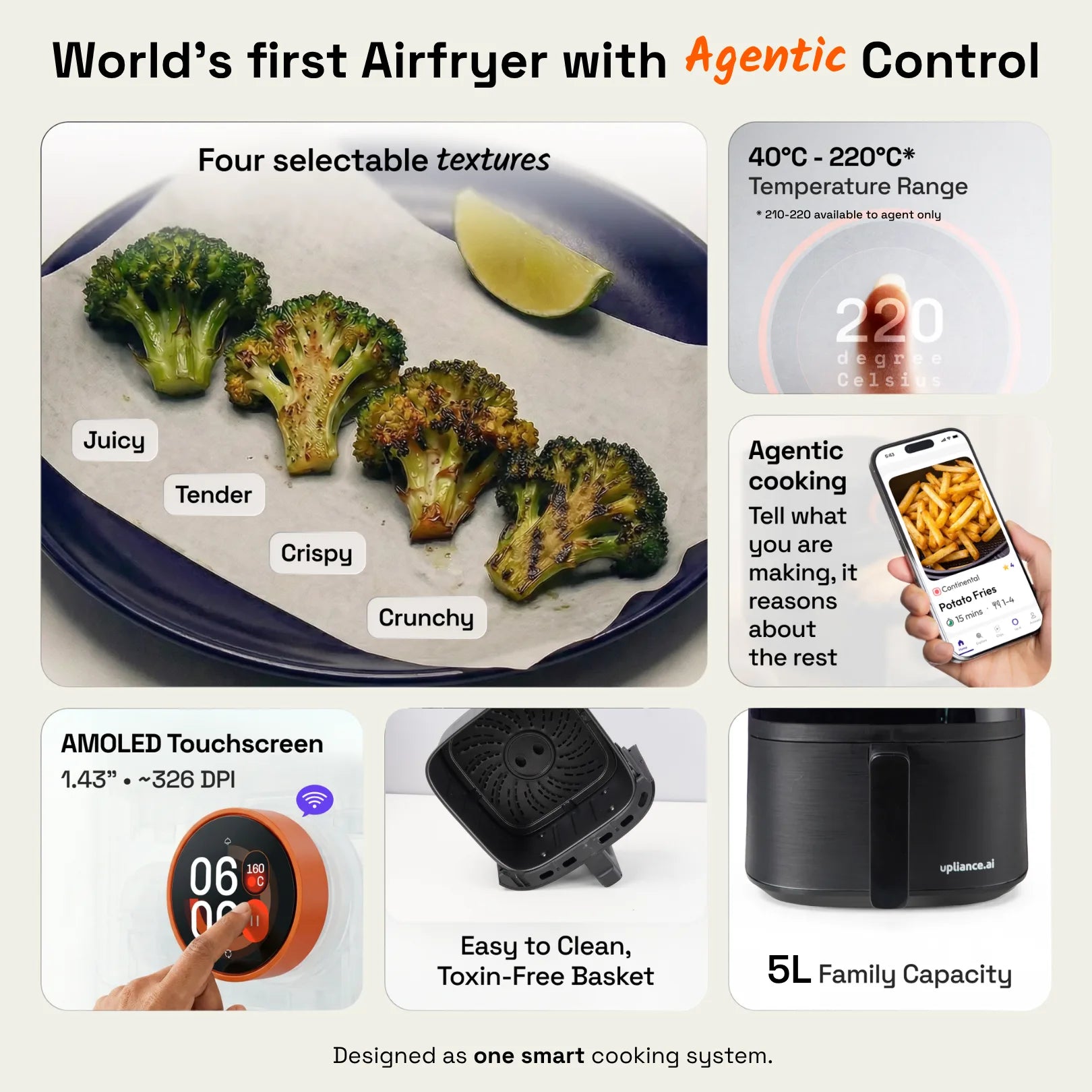
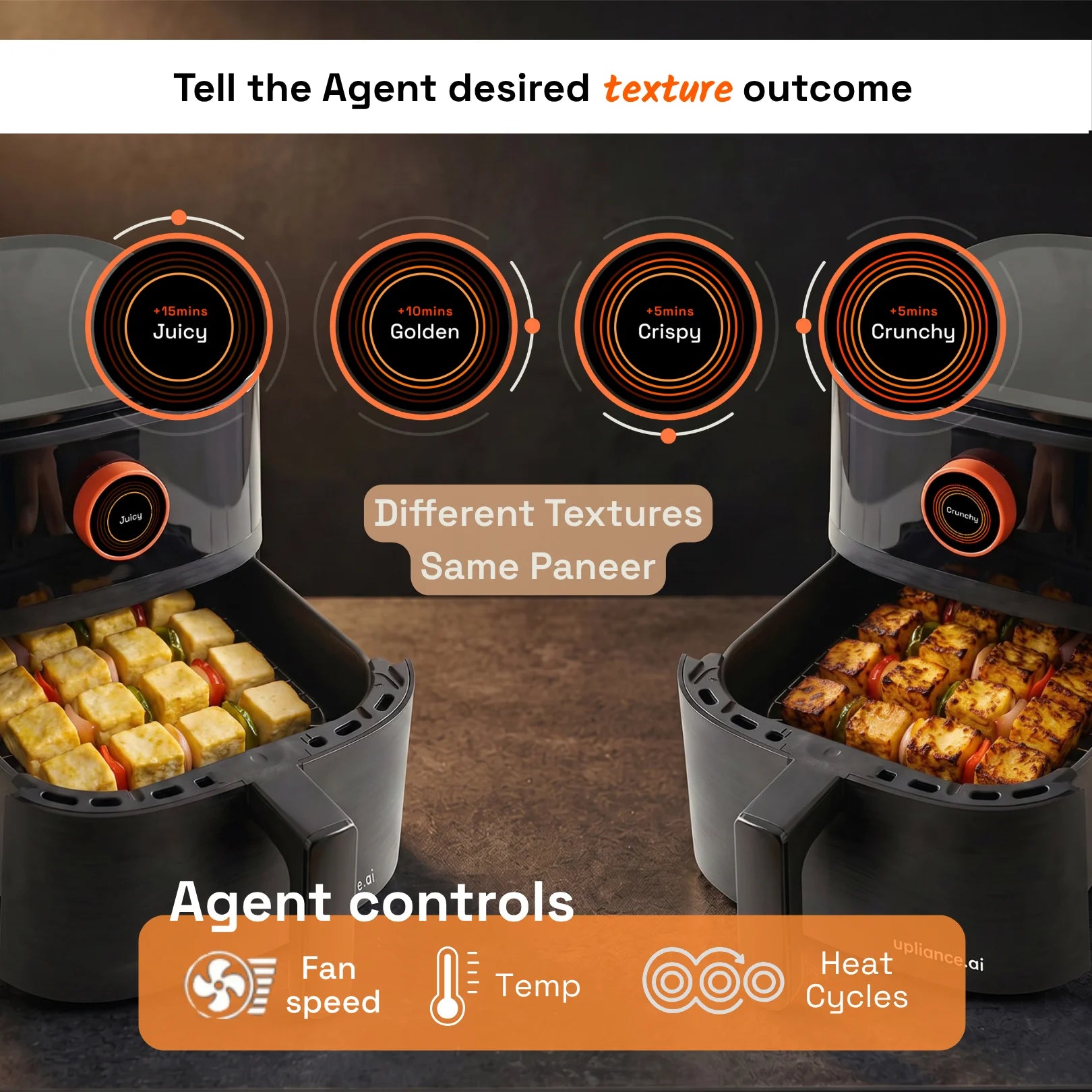
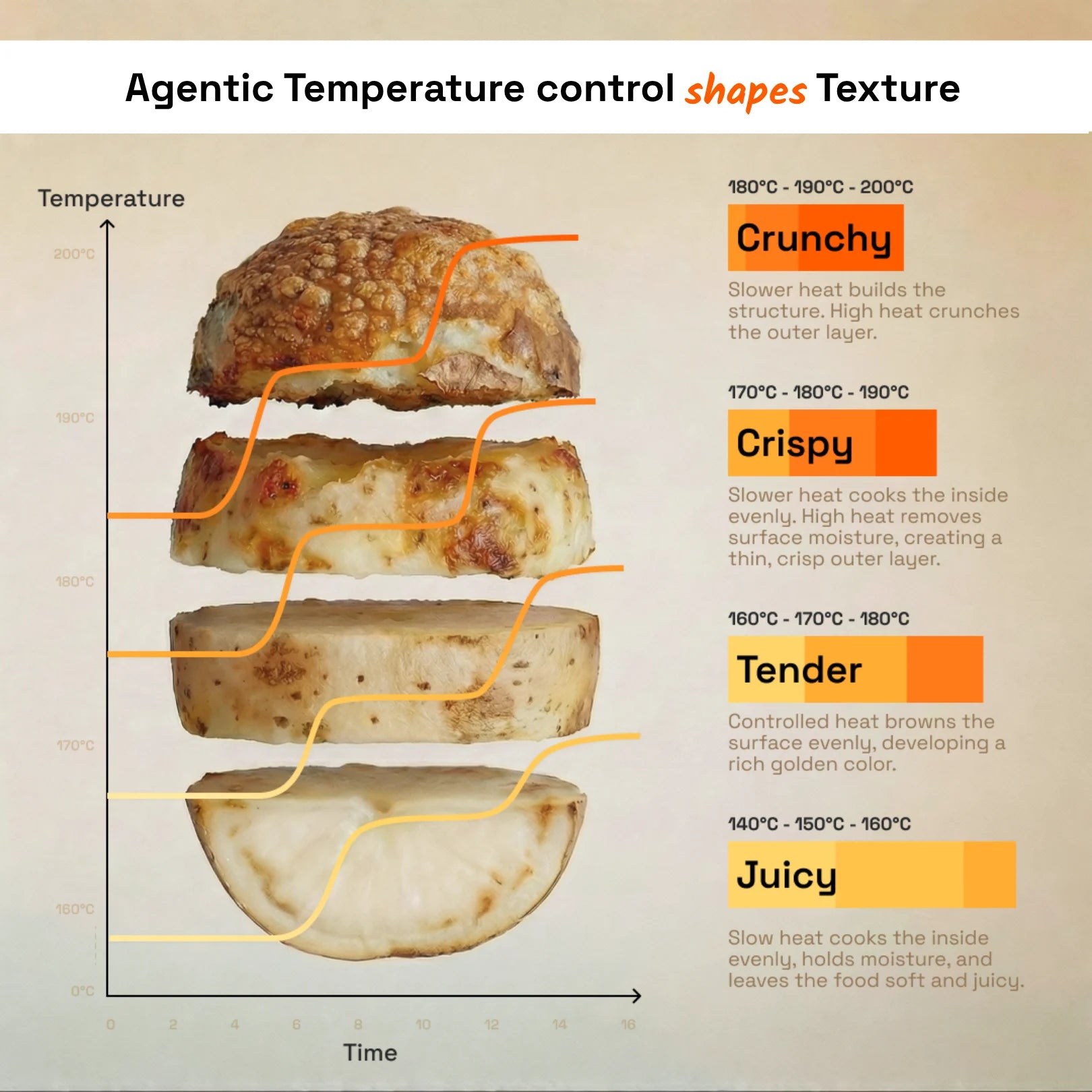
You choose the result: Juicy, Tender, Crispy, or Crunchy. The air fryer adjusts heat during the cook to get there. Same ingredient, different finish, every time. Built and tested in-house.

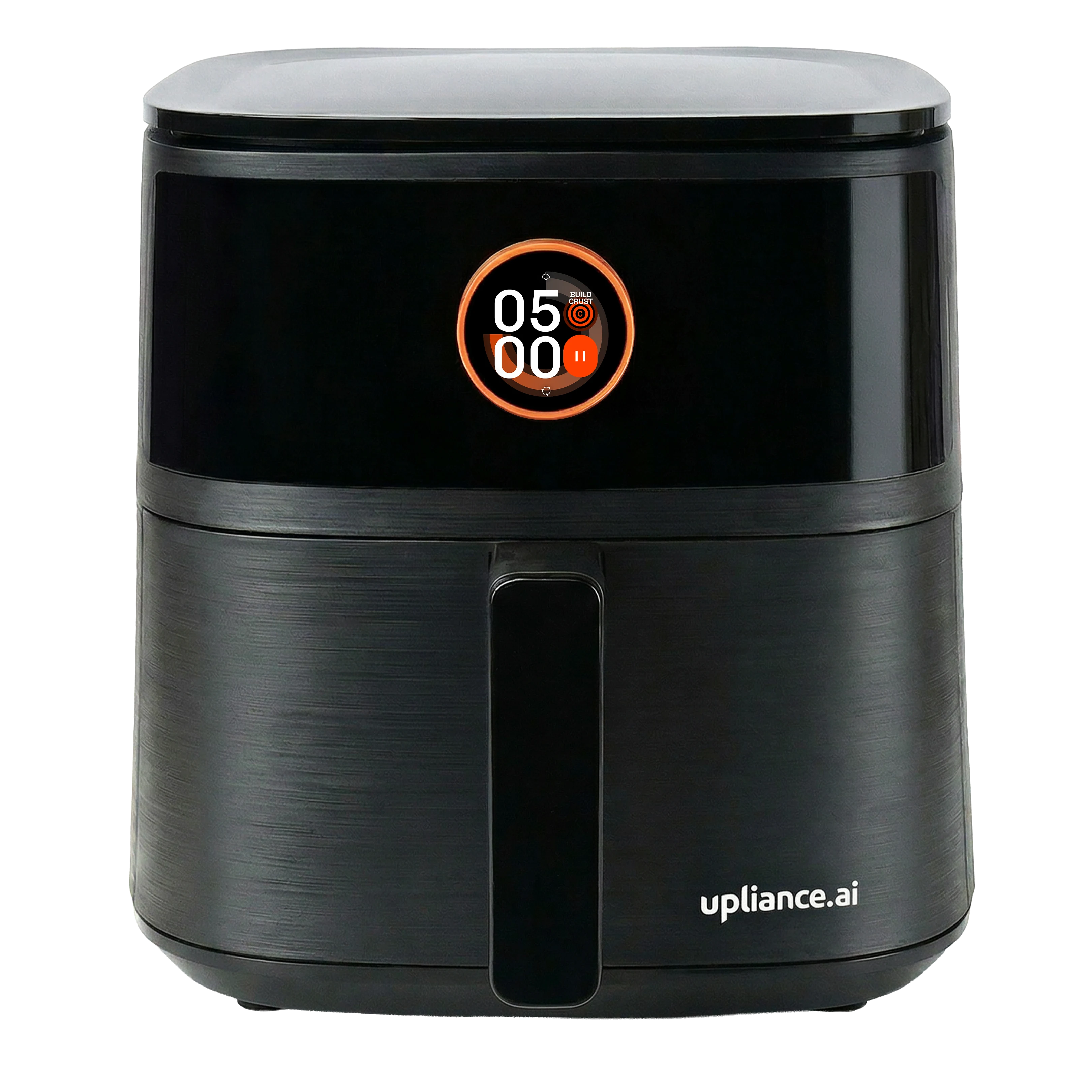
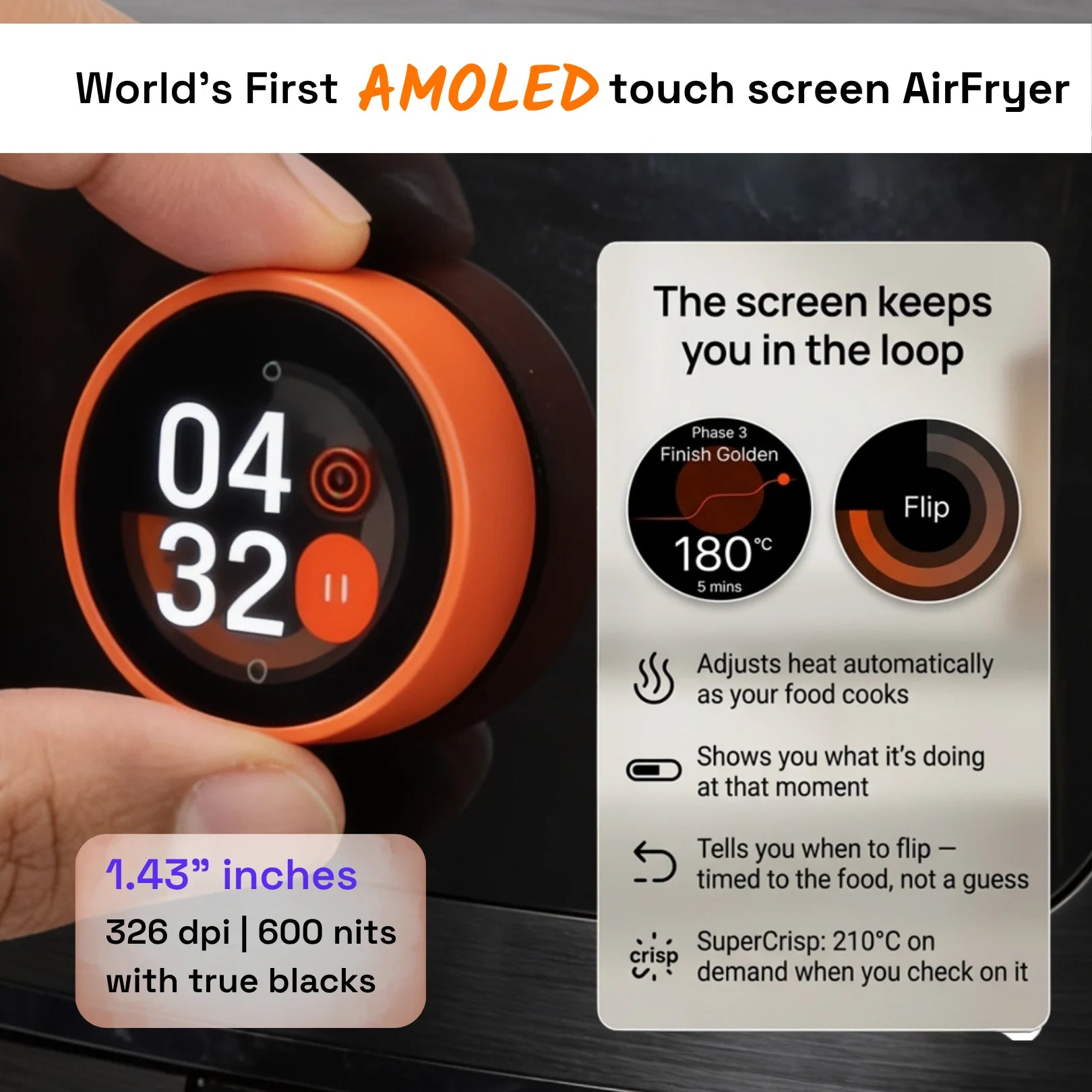
1.43" AMOLED Dial
Rotatable touchscreen. Shows cooking stage, selected texture, time remaining, flip notification, and done alert. 600 nits — readable in any kitchen.

WiFi + App Control
Connect via the upliance app. Start, stop, adjust, and monitor from your phone. Works offline too — set time, temperature, and texture directly on the dial without the app.

3-Level Built-In Safety
Thermal Overload Protection System, Safety Thermal Fuse, and BIS Certified — IS 302 (Part 2, Sec 9): 2009. [flag for internal verification] Non-toxic basket coating. Non-slip feet.

Technical Specifications

Capacity: 5 litres
Basket: Single, no window
Power: 1500W
Plug: IS 1293 compliant 3-pin 16A
Input: 220–240V ~ 50Hz
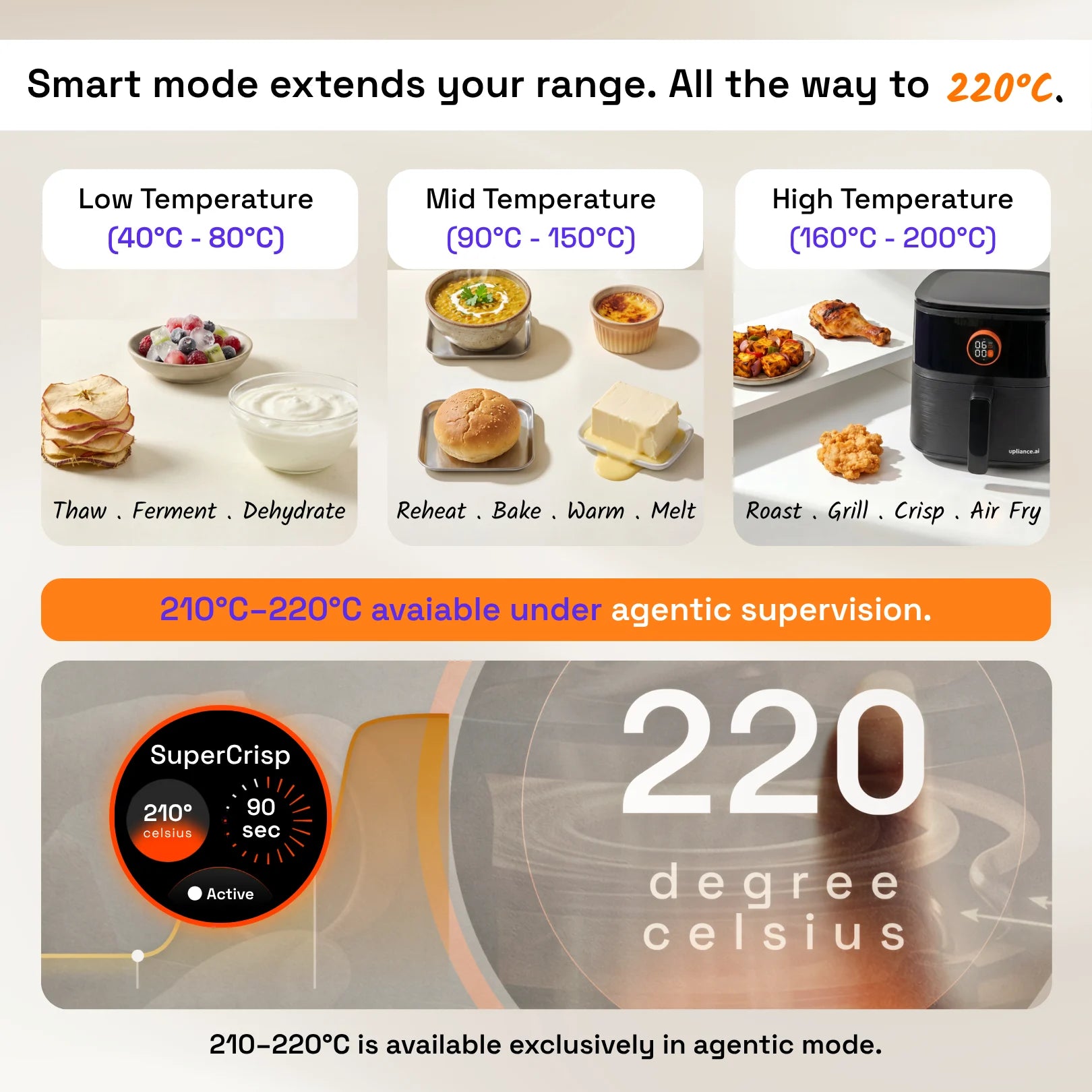
Temperature: 80°C to 200°C
Display: 1.43" AMOLED touchscreen, 600 nits
Connectivity: 2.4 GHz WiFi 802.11 b/g/n
Colour: Black with brushed finish
Dimensions (cm): W 30 × D 38 × H 28
Weight: 4.8 kg (6.7 kg with packaging)
Packaging (cm): 45 × 37 × 36
Certification: BIS — IS 302 (Part 2, Sec 9): 2009 

What’s in the Box

Upliance Smart Air Fryer (with metal cooking basket) × 1
Silicone liner × 1
Measuring spoon — Small × 1
Measuring spoon — Medium × 1
Measuring spoon — Large × 1
User manual × 1

For the most up-to-date version of the manual, visit the resource page.

Safety and Care

Built-in Safety
  • Thermal Overload Protection System — Heat reduces automatically if temperature runs too high. Goes further — it shuts off.
  • Safety Thermal Fuse — Backup protection layer.
  • Non-toxic basket coating
  • Non-slip feet
  • BIS Certified — IS 302 (Part 2, Sec 9): 2009
Care Instructions
  • Unplug the air fryer and allow it to cool for at least 20 minutes before touching or cleaning any part.
  • Remove the metal basket and silicone liner.
  • Wash with warm soapy water using a soft cloth or non-abrasive sponge. Do not use scrubbers, scouring pads, or harsh chemicals — these will damage the non-stick coating.
  • Rinse thoroughly. Dry completely before reinserting.
  • Wipe the interior cooking chamber with a soft, damp cloth. Let it dry.
  • Clean the AMOLED touchscreen with a soft, dry cloth only. Do not apply moisture to the screen.
  • Check that the rear and side air vents are clear of dust or debris.
  • Do not immerse the main unit in water.

Warranty and Support

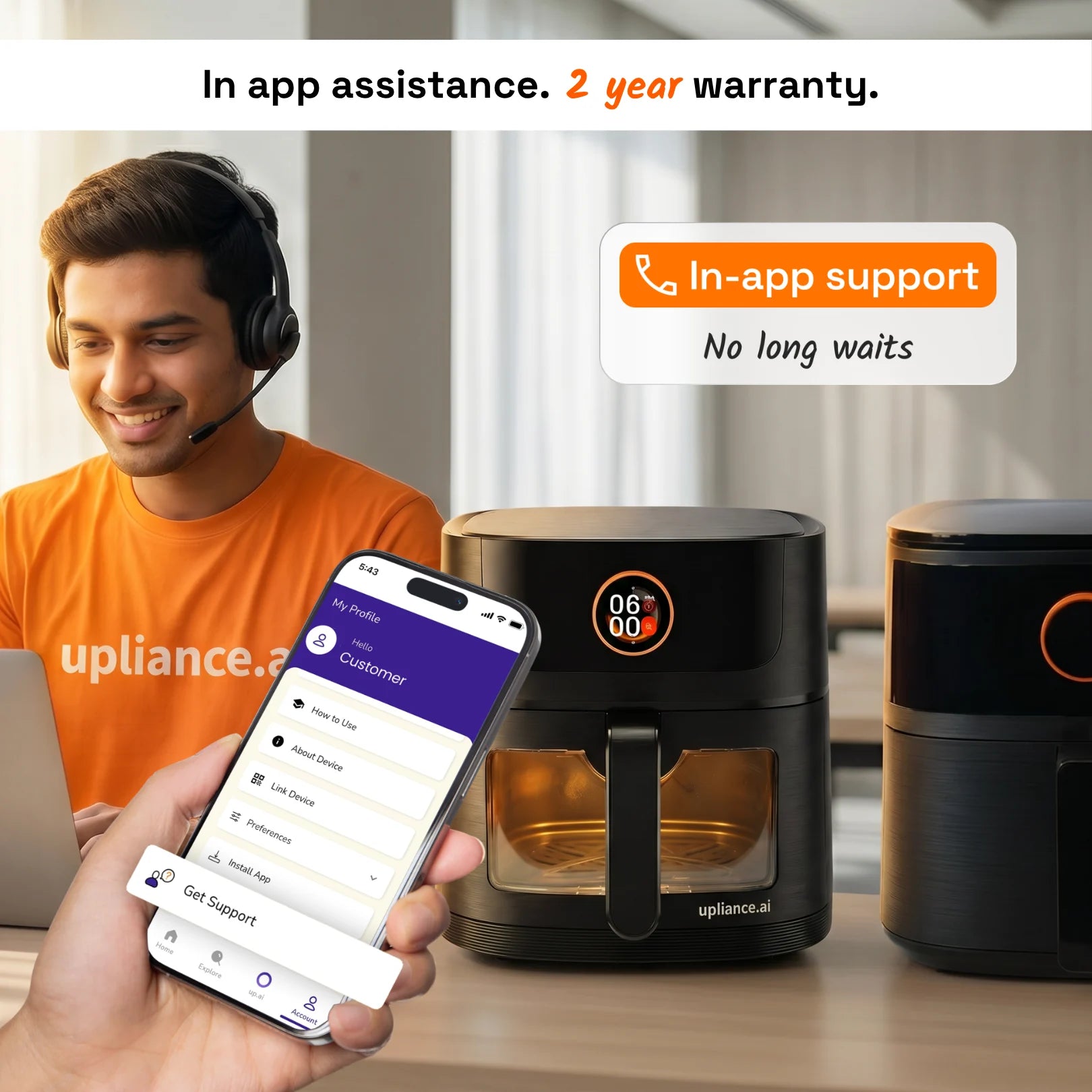
Every Upliance Air Fryer comes with a 2-year warranty.
What's covered:
  • Defects in materials and build quality for major internal and external hardware components, including the dial.
  • Faulty parts will be repaired or replaced.
What's not covered:
  • Accidental damage, liquid damage, misuse, or unauthorized repairs.
  • Normal wear and tear — scratches, dents, cosmetic fading.
  • User Damage to Amoled Dial and Display
Service:
  • Pickup and delivery available pan-India.
  • Warranty and service valid in India only.

Need help? Reach out to us at hi@upliance.ai!

Trending on Socials

Recipes 


Potato_Wedges


Parmesan_Chicken


Crispy_Corn


Kurkuri_Bhindi


Brownie


French_Fries


Nutella_Toast_Pies


Chicken_Tikka


Makhana


Baked_Apples


Butter_Garlic_Prawns


Stuffed_Capsicum


Sabudana_Vada


Garlic_Bread
5L_A__web_12
5L_A__web_7
5L_A__web_14
5L_A__web_5
5L_A__web_8
5L_A__web_9
5L_A__web_6
5L_A__web_13
5L_A__web_11
5L_A__web_10
5L_A__web_3
6L_A__Web_1
5L_A__web_1
5L_A__web_4
5L_A__web_2

FAQs

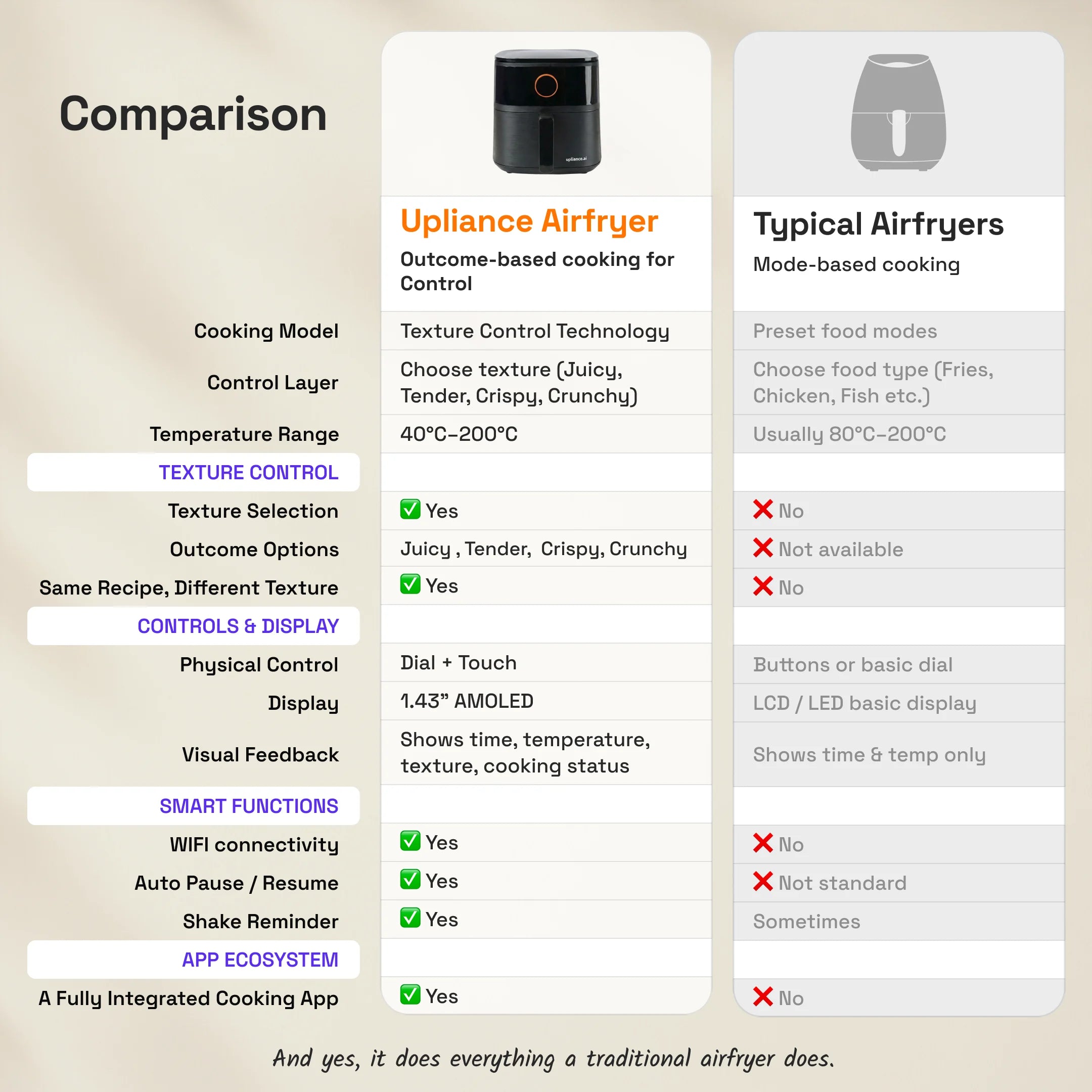
How is the Upliance Airfryer different from other airfryers?

Most airfryers cook at one fixed heat from start to finish.
The Upliance Airfryer uses Texture Control.
 It adjusts heat while the food cooks.
This means:
  • It can cook the inside gently first
  • Then increase heat later for crisping
So your food turns out juicy, tender, crispy, or crunchy, the way you choose.
On top of that: UpAI, the AMOLED dial, and full WiFi control. No other air fryer in this category has any of these three features, let alone all of them.

What is UpAI?

  • UpAI is the AI built into the upliance app that connects to your air fryer.
  • It reads photos, text, and recipe links — and sends the right cooking settings directly to the air fryer. You don't need to look up temperatures or cook times. You don't need to check recipes on YouTube. UpAI handles that.
  • The key things it can do: Photo to Air Fry, Control from Phone, Reel to Recipe, and Fix My Food.

What is Photo to Air Fry?

  • Take a photo of any ingredient — from your fridge, a grocery bag, or a dish you want to recreate — and send it to UpAI in the app.
  • UpAI reads the photo, gives you recipes you can cook with it, and sends the time, temperature, and texture settings straight to the air fryer.
  • You can also type an ingredient instead of photographing it, and it works the same way.

Can I control it from my phone?

Yes. Connect the air fryer to your home WiFi through the upliance app.
From the app you can:
  • Start, stop, or adjust cooking from anywhere
  • Set a timer to begin cooking before you get home
  • Send a recipe directly to the air fryer — no manual input needed
  • Get a shake alert when it's time to flip, and a done alert when food is ready

Does it work without the app or WiFi?

  • Yes. After the initial setup, you can use the air fryer entirely offline using the AMOLED dial.
  • Set your temperature (80°C to 200°C), set your cook time, select your texture, and start — all from the dial. The app is not required for basic cooking.
  • The app unlocks UpAI features: Photo to Air Fry, guided recipes, remote control, and Fix My Food.

What is Texture Control?

Texture Control is a smart cooking system.
Instead of blasting food with the same heat all the time, the Upliance airfryer:
  • Starts with balanced heat to cook the inside evenly
  • Increases heat only when needed to build crispness
  • You choose the texture.
The airfryer manages the cooking stages.

What textures can I choose?

You can select:
  • Juicy – For soft and moist
  • Tender – For light colour, gently set outside
  • Crispy – For crisp outside, soft inside
  • Crunchy – For firm, bold crunch
Same ingredient. Different finish.

Is Texture Control a preset?

No. A preset sets one fixed temperature and time and runs the same cook from start to finish.
Texture Control works differently. It varies heat during cooking based on the texture you chose. You select the result you want. The air fryer figures out how to get there.

Do I need to keep checking the food while cooking?

No.
The airfryer manages heat stages automatically based on the texture you select.
You can:
  • Monitor cooking on the AMOLED screen
  • Control and monitor with WiFi via phone
You step in only when you have to flip or shake the food inside the tray. 

What does the AMOLED screen do?

The 1.43" AMOLED touchscreen shows:
  • Cooking progress
  • Selected texture
  • Time remaining
  • Clear, bright display (600 nits brightness)
  • FLIP notification
It is easy to read, even in bright kitchens.

What happens if there is a power cut?

Yes, all Upliance devices and users get the full customer support offered by us.

Is it safe to use?

Yes.
The airfryer includes:
  • Thermal Overload Protection System
  • Safety Thermal Fuse
  • Non-slip feet
  • Non-toxic coating on the tray
  • BIS Certified – IS 302 (Part 1)

How to use the airfryer for the first time?

Before first use, run a simple cleaning cycle.
  1. Place 2 lemon slices and some water in a heat-safe glass bowl.
  2. Keep the bowl inside the basket.
  3. Run the airfryer at 80°C for 20 minutes.
This helps remove the new coating smell.
We recommend 80°C so the water does not evaporate quickly.
After this, your airfryer is ready to cook real food without any fuss.