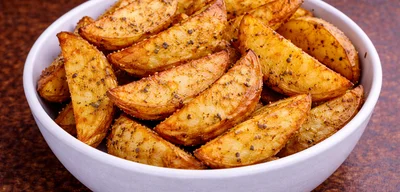
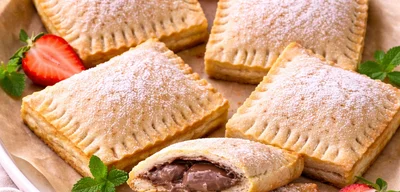
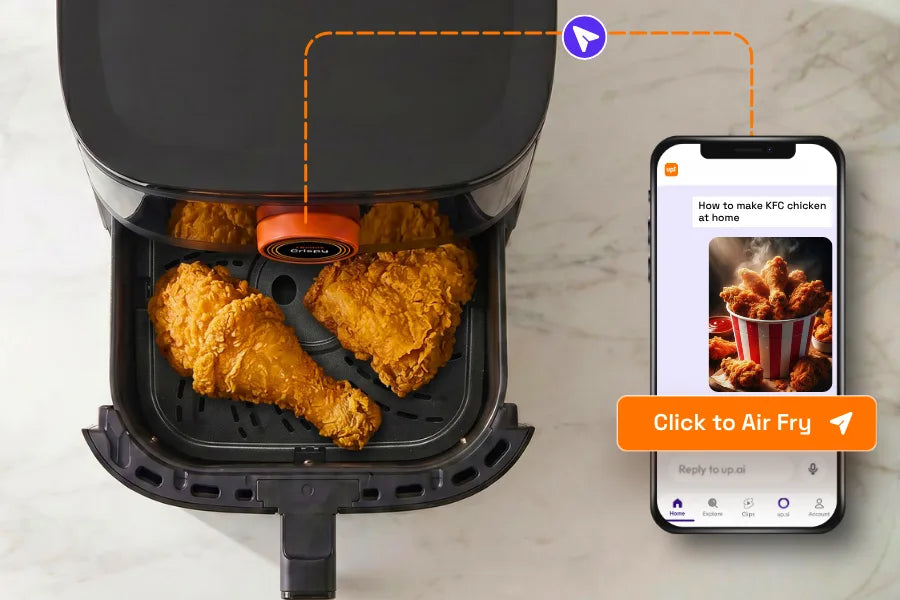
One photo. That's it.
- Photograph any food.
- Pick a recipe from UpAI.
- Tap Send. The air fryer handles the rest.


Photo to Air Fry

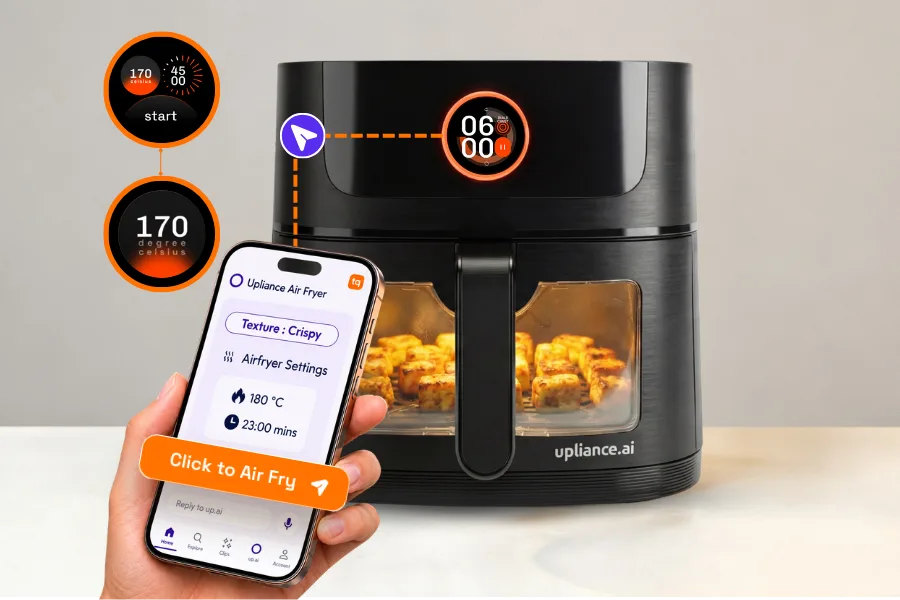
Control From Phone
Reel to Recipe
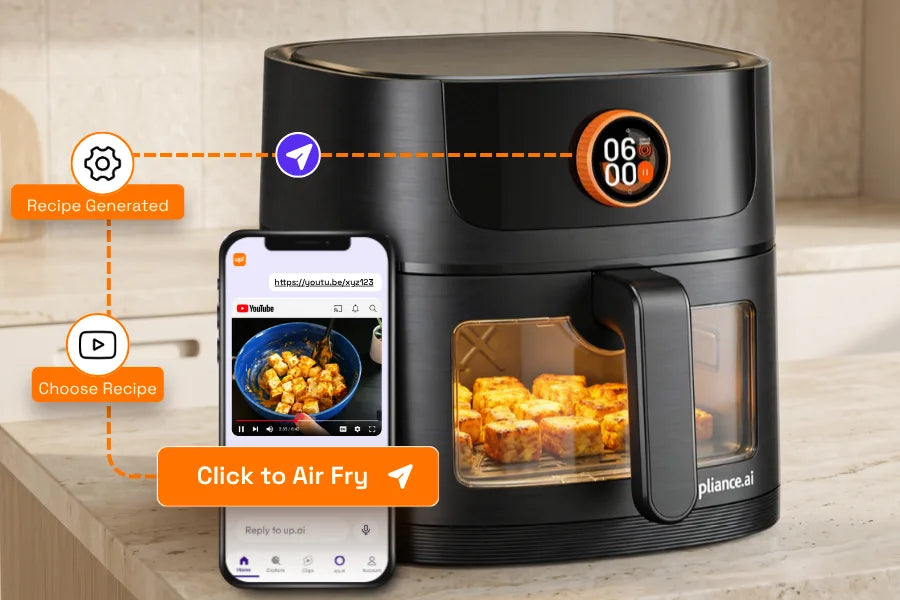
Stop Saving Reels. Start Cooking Them.
Fix My Food
Don't Start Over. Fix It.
Mayuri
The Upliance 6L Air Fryer is an outstanding product that balances premium tech with everyday practicality. It is a perfect size for a small family and feels very well-built.
Standout Features:
1) Remote Mobile Operation:
This is a game-changer. You can operate the air fryer remotely via your phone, which is incredibly convenient for monitoring or starting your meal from another room or you are on the street.
2) AMOLED Touch Dial:
The 1.43-inch display is sharp and intuitive. The "Texture Control" feature allows you to dial in everything from juicy to extra crunchy with total precision.
3) See-Through Window:
I love being able to monitor the browning process without opening the basket. It keeps the heat trapped inside, making the cooking much more efficient.
4) Silicone Baskets:
These are a clever addition. The raised ridges on the bottom allow excess oil to drain away, so the food isn't sitting in grease.
5) Easy Maintenance:
The 6L capacity is generous, and the tray is remarkably easy to clean.
The "Kand" (Purple Yam) Test:
I prepared purple yams (Kand) and they were perfect in just 10 minutes. The airflow is so consistent that I achieved an even, golden-brown crunch without having to shake the basket once. They were wonderfully crispy on the outside while remaining tender on the inside.
I recommend this 6L model 100% for anyone who wants a "smart" cooking experience with accurate temperature control and effortless results.
vani arul
It's working very nice. I like it very much.
Chaitanya Hegde
The upliance airfryer does a great job as an airfryer.
I got it last week and tried 3 dishes, and all came out well. It has a mobile app that allows you to start/stop the airfryer remotely, the app also has recipes.
The pic attached is the paneer tikka cooked via one of the recipes on the app, it was quite tasty.
The touchscreen to control settings is colourful and bright, and is a fun addition. Overall build feels solid. Comes with 2 year warranty, which is great!
Amazon Customer
The app connection and OTA update were cool, but the guided recipes feel a bit slow to load sometimes. The shake/flip alerts are great though, and the screen looks nice. Performance is good, just a bit of learning curve with the app.
Amazon Customer
Really liking the texture settings. I chose crispy for frozen snacks and tender for chicken, and it worked well. The app took a few extra seconds to connect sometimes but after the OTA update, it worked fine. The shake reminder is useful though can be more prominent.
Vishvesh
This was supposed to be a 1 star review, but I changed my mind and here's why:
I was really disappointed with the product initially as I hit a lot of snags while trying to use it. I requested a callback through their app and somebody called back within the hour. They found that my air fryer had an older firmware and so they pushed an update from their end after which things worked well, mostly. Glad to know that they can do these fixes remotely and I do not have to go to the service center or scroll through the internet looking for solutions.
Since then, I have not faced issues as such, hence the 4 star review.
Vaishnavi Patidar
I've been using the Upliance Smart Air Fryer 6L for a few weeks now, and honestly, it has completely upgraded my cooking experience❤️
The standout feature is definitely its Texture Control technology. Unlike regular air fryers that cook at a fixed temperature, this one adjusts heat in stages, so you can actually choose whether you want your food juicy, tender, crispy or crunchy. It sounds fancy, but it really works. My sabudana tikki come out perfectly crispy on the outside while staying soft inside every time. value for money 👌
Yuvanthika Meenakshi
I've tried a wide range of snacks in this air fryer, and the crisp it delivers is genuinely impressive. Potatoes were suer crispy with 0 oil and the chicken was tender but crispy outside. While it is slightly on the pricier side, the taste and results definitely make it worth the investment. The dial can be slightly intimidating but it gets really easy later on.
Amazon user
I bought this a week ago and it is good! Initially, took some time to set up but then it was easy. The dial looks cool. The app can do cooking from my phone, and the shake/flip notification etc
My second purchase from this company.
Amazon Customer
I was sceptical at first about the utility of the app and the whole wifi connectivity bit of it, but it turned out to be useful. Best part was the inbuilt option to browse air fryer recipe reels and then cook whatever you like from it. Makes my life easier as I don't have to wonder anymore about what to have for dinner.
Sonam M
Bought this 2 days ago and have used it a few times already. The first thing I noticed was the solid build quality, it looks and feels quite premium. What really impressed me was the cooking output. I made chilli cheese toast using sourdough, and it came out perfectly crisp on top while staying soft inside. With other air fryers I've tried, sourdough tends to dry out and become too hard, but this one maintained the right texture. Also made paneer tikka wrapped in zucchini, turned out yum!
Controls are simple and intuitive. So far, very happy with the purchase and looking forward to trying more recipes.
Pick your size.
 6 Litres
 5 Litres
“Show me how it works, and I'll be convinced. It did. The texture difference and the AI feature — those two things made the decision easy.”
“Control from my phone was the whole point. I wanted to manage cooking from wherever I was — not be tied to the kitchen. This was exactly that.”
“The fries alone were enough to convince me. For someone who's seen and tested a lot of products, 'superior' is not a word I use lightly. The app integration and recipe range made it a complete package.”
“My mother-in-law cooks chicken in it every other day. She was taught the basics once, and now she's taken over the device completely. That kind of habitual use says more about the product than any review.”
“Probably the 4th or 5th air fryer we tried — the first we genuinely liked. The texture control felt different from anything else we'd used. Three different settings, all delivered exactly what we expected.”
“Better than anything I've ever tried in the air fryer market. I bought my first Philips air fryer nearly twenty years ago, so that's not a statement I make lightly. Texture control is what converted me.”
“Five days wasn't enough — I asked for more time. I spent the whole trial cooking grilled fish, the way I actually cook at home. By day ten, the order was placed.”
Safety
Temperature runs too high?
Heat dials itself down.
Goes further? It shuts off.
Heat and airflow adjust together.
Cook to cook.
Temperature stays where you set it.
Cooking done.
Heater off.
Cool-down runs on its own.